Download the hello55 App — Play Anywhere in Bangladesh
The hello55 app puts 4,900+ casino games and sports betting right on your Android phone. Free APK download, works on mobile data or Wi-Fi. Deposit with bKash in under 2 minutes. Already have an account? Log in here.
- Safe APK
- Android 7.0+
- bKash & Nagad
- 24/7 Support
- 18+ Only
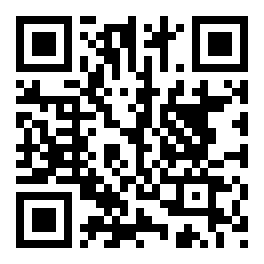 Scan to download
hello55.apk
Version Details & What Your Phone Needs
Check these specs before you download. The hello55 app is a lightweight Android APK — no Play Store needed, no subscription fee, no hidden charges.
The APK file is published directly by hello55 — it is not on the Google Play Store, so you need to allow installation from unknown sources (explained in the steps below). This is standard for casino apps across Bangladesh; it takes about 30 seconds to enable.
After installation, the app connects to hello55 servers over HTTPS. All game sessions, deposits and withdrawals use the same infrastructure as the main website. Your bKash or Nagad transaction goes through the same payment gateway.
New to hello55? Create a free account first — the whole registration takes under three minutes and you can do it inside the app too.
What You Can Do Inside the hello55 App
Every game and payment option from the website is available on your phone. Here is what players use most:
4,900+ Casino Games
Slots, live roulette, blackjack, baccarat, Andar Bahar and fishing arcade titles — all from providers like Pragmatic Play, Evolution, Playtech and JDB. The lobby loads fast even on 4G. Use the category tabs to find your game quickly. New titles appear in the "New" tab every week.
Live Casino with Real Dealers
Join live tables hosted by real dealers — European Roulette Pro, Double Exposure Blackjack and European Blackjack are available around the clock. Minimum bet starts at ৳10. The video stream is optimised for mobile bandwidth, so it stays smooth on a standard Grameenphone or Robi connection.


Deposit & Withdraw via bKash
Top up your account with bKash, Nagad, Rocket, Upay or bank transfer directly inside the app. The minimum deposit is ৳500 and money arrives in under 2 minutes. Withdrawals of ৳1,200 or more process in about 35 minutes. You never need to open a browser for banking — everything is inside the app.
24/7 Live Chat Support
Tap the chat bubble anywhere in the app to reach a support agent. The team handles account questions, payment delays and game issues. Response time is typically under two minutes during peak hours (evening Bangladesh time). You can also check your bonus balance, wagering progress and VIP cashback directly from the app menu.
How to Install the hello55 APK on Android
Follow these five steps exactly and the app will be running in under three minutes. The process works on Samsung, Xiaomi, Realme, Oppo and any other Android phone sold in Bangladesh.
-
1
Allow Installation from Unknown Sources
Go to your phone's Settings → Security (or Privacy on some phones). Find "Install unknown apps" or "Unknown sources" and turn it on for your browser or file manager. On Samsung One UI, go to Settings → Apps → Special app access → Install unknown apps and enable it for Chrome or the file manager you use. This setting only needs to be changed once.
-
2
Download the APK File
Tap the "Download APK" button on this page (or scan the QR code). Your browser will download hello55.apk (45 MB). The file lands in your phone's Downloads folder. Make sure you are on a stable Wi-Fi or 4G connection — a dropped connection mid-download can corrupt the file and you will need to download again.
-
3
Open the APK and Start Installing
Open your phone's File Manager and go to the Downloads folder. Tap hello55.apk. A system prompt will appear asking for permission to install. Tap "Install". Android will verify the package — this takes about 10 seconds. Do not close the screen or put the phone to sleep during this step. A progress bar will show installation moving forward.
-
4
Open the App and Log In
Once installation completes, tap "Open". The hello55 app launches to the home screen. If you already have a hello55 account, tap "Log In" and enter your username and password. If you are new, tap "Register" — the sign-up form is the same as the website registration page and takes about two minutes. You can claim the welcome bonus straight away after your first deposit.
-
5
Enable App Notifications (Optional)
When the app asks for notification permission, tap "Allow". This lets hello55 send you alerts about deposit confirmations, withdrawal status updates and new promotions. You can manage which notifications arrive by going to your phone's Settings → Apps → hello55 → Notifications. Disabling notifications will not affect gameplay or payouts, but you may miss time-limited bonus offers.
iPhone / iOS Users — Add to Home Screen
- Open Safari on your iPhone and go to hello55.lat.
- Tap the Share button (the box with an arrow pointing up) at the bottom of the Safari toolbar.
- Scroll down the share sheet and tap "Add to Home Screen".
- Give it a name (e.g. "hello55") and tap "Add" in the top-right corner.
- An icon appears on your home screen. Tap it to open hello55 in a full-screen browser session — it behaves like a native app. Log in as normal.
Note: iOS does not allow APK files. The Safari web app gives you the same casino lobby and payment features without an installation file.
App Safety & What Permissions It Needs
The hello55 APK is built by the same team that runs the website. It requests only the permissions it actually needs — no access to your contacts, camera or SMS.
HTTPS Encryption
All traffic between the app and hello55 servers is encrypted with TLS. Your login credentials, deposit amounts and personal data are never sent in plain text. The same SSL certificate that protects the website protects the app. You can verify the connection in the app's in-built browser settings panel.
Internet Access Only
The app requests network access to load games and process payments. It does not ask for microphone, camera, contacts or location. You will see one "Allow internet access" permission prompt during install. No background data collection runs when you are not using the app. You can confirm this in your phone's data usage settings.
APK Integrity Check
The APK file you download from this page is the official build published by hello55. Do not install APK files from third-party sites, Telegram groups or social media links — these are unofficial and may contain modified code. The file name is always hello55.apk and the size is 45 MB. If your downloaded file is a different size, delete it and re-download from this page.
Account Security
Use a strong, unique password for your hello55 account. The app supports session timeout — you are logged out automatically after a period of inactivity. Never share your login details with anyone, including people claiming to be hello55 support staff. Official support only contacts you through the in-app live chat. If you suspect account access, change your password immediately and contact support via live chat.
Download hello55 APK
Scan with phone camera
Only download from hello55.lat. After installing, register a new account or log in to claim your welcome bonus.
hello55 App vs Playing in a Browser
Both options give you full access to your account and all games. Here is where they differ so you can pick what works best for your phone and habits.
| Feature | hello55 App (APK) | Mobile Browser |
|---|---|---|
| Game loading speed | Faster — assets cached locally | Slightly slower on first load |
| Works on Android | Yes | Yes |
| Works on iPhone / iOS | No (use browser) | Yes — Safari recommended |
| Push notifications | Yes — bonus & payment alerts | No |
| Home screen icon | Added automatically | Manual — Add to Home Screen |
| bKash / Nagad deposit | Yes | Yes |
| Live casino streaming | Optimised for mobile bandwidth | Standard browser streaming |
| Auto-login (remembered session) | Yes | Depends on browser settings |
| Storage needed | 45 MB installed | None — runs in browser |
| Updates | Re-download APK when prompted | Always latest — no action needed |
Our recommendation: install the APK if you play regularly. Use the browser if you are on an iPhone or prefer not to install anything. Both options give you the same games, bonuses and payment methods. Need help choosing? Ask via live chat.
Installation Problems & How to Fix Them
Most install failures have a simple cause. Check this table first before contacting support — you will usually be up and running in under a minute.
| Problem | Likely Cause | How to Fix It |
|---|---|---|
| "Install blocked" message | Unknown sources permission is off for your browser or file manager | Go to Settings → Apps → [your browser] → Install unknown apps and toggle it on. Then tap the APK file again from your Downloads folder. |
| App crashes on launch | Corrupted or incomplete APK download — common on slow connections | Delete the old APK from your Downloads folder. Re-download hello55.apk from this page on a stable Wi-Fi or 4G connection. Confirm the file size is exactly 45 MB before installing. |
| "Parse error" during install | Android version is below 7.0, or file is damaged | Check your Android version: Settings → About Phone → Android version. If below 7.0, use the mobile website in your browser instead — all games and payments are available there. If you are on 7.0+, re-download the APK. |
| Game lobby loads blank | Weak internet signal or DNS issue | Switch from mobile data to Wi-Fi (or vice versa). Close the app fully by swiping it out of the recent apps tray and reopen. If the problem continues, try clearing the app cache: Settings → Apps → hello55 → Storage → Clear Cache. |
| Deposit not appearing after bKash payment | Payment gateway delay — usually resolves within 2 minutes | Wait two minutes and pull down to refresh your wallet balance in the app. If the deposit still has not arrived after five minutes, open live chat inside the app and share your bKash transaction reference number. Support will verify and credit the amount manually. |
Get the hello55 APK — One Tap Away
-
4,900+ Games in Your Pocket
Slots, live casino tables, fishing arcade games and card games — all accessible the moment you open the app. No browser tabs, no slow loading.
-
bKash & Nagad Deposits Under 2 Minutes
Tap Deposit, choose bKash or Nagad, enter your PIN. Funds land in your account in about 2 minutes — same speed as the website, faster on a good connection.
-
Secure HTTPS Connection, Always
Every session, every deposit and every withdrawal uses the same HTTPS infrastructure as hello55.lat. Your data does not travel on plain HTTP at any step.
-
Works on Android 7.0 and Above — Free
The APK is 45 MB and runs on any Android phone from version 7.0 (Nougat) upward. No Play Store account needed. Download once, play offline for free, top up when you want to bet.
Point your camera here to download the APK straight to your phone.
Questions About the hello55 App
Quick answers to the questions we get most often. If your question is not here, open live chat inside the app — agents are available around the clock.
Is the hello55 APK safe to install on my phone?
Yes, when downloaded from this page (hello55.lat). The official hello55 APK is built and signed by the hello55 development team. It requests only internet access — no camera, microphone, contacts or SMS permissions. All connections are encrypted with HTTPS/TLS. The file is 45 MB; if the APK you download is a different size, do not install it. Never download hello55 APK links shared in Facebook groups, Telegram or WhatsApp — those may be unofficial modified builds.
My phone says "Install blocked." What do I do?
This is Android's default protection against apps from outside the Play Store. To fix it, go to Settings → Apps → [the browser or file manager you used] → Install unknown apps and toggle it on. On older Android versions (7–8), go to Settings → Security → Unknown Sources and enable it. Once the toggle is on, tap the hello55.apk file in your Downloads folder again and the install will proceed normally. You only need to do this once.
How do I update the hello55 app when a new version comes out?
The hello55 app shows an in-app banner when a new version is available. Tap the banner and it will take you to this page. Download the new APK (the file name is always hello55.apk) and run the installer — it replaces the old version automatically. You do not need to uninstall first, and your account, balance and bonus progress are all stored server-side so nothing is lost. We recommend updating promptly since new versions often include performance improvements and security fixes.
Can I use the app on an iPhone?
APK files only work on Android. iPhone and iPad users need to use Safari to access hello55.lat. For a near-app experience: open Safari, go to hello55.lat, tap the Share button, then tap "Add to Home Screen." This creates a shortcut icon on your home screen. The site opens in full-screen mode without the browser toolbar. You can log in, deposit with bKash or Nagad, and play all 4,900+ games exactly the same as on Android.
Do I need an account before downloading the app?
No. You can download and install the APK before creating an account. The app has a "Register" button on its opening screen. Creating a hello55 account is free and takes about two minutes — you need a phone number, a username and a password. Once registered, make your first deposit of ৳500 or more to unlock the welcome bonus. You can also register on the website first and then log in through the app.
What is the minimum deposit I can make through the app?
The minimum deposit through the hello55 app is ৳500 regardless of which payment method you use. bKash, Nagad, Rocket, Upay and bank transfer are all available inside the app's Deposit section. Money arrives in your hello55 wallet in under 2 minutes. For withdrawals, the minimum is ৳1,200 and the maximum per day is ৳1,45,000. First-time withdrawals may take up to 6 hours while your KYC documents are reviewed.
The app installed but I can not log in. What is wrong?
First, check your internet connection — the app needs an active data or Wi-Fi connection to authenticate. If you are connected but still can not log in, make sure you are using the correct username (not your phone number) and that Caps Lock is not on for your password. If you have forgotten your password, tap "Forgot Password" on the login screen and follow the SMS reset steps. If the issue continues, contact support through live chat and provide your registered phone number so an agent can check your account status.